The JBL Charge 5 Bluetooth speaker is an ultimate all-purpose speaker, offering a powerful and refined audio experience with a two-way driver system, an impressive IP67 dustproof and waterproof rating, and up to 20 hours of battery life. It features a built-in power bank for charging other devices and supports JBL PartyBoost for connecting multiple speakers, making it ideal for various environments from home to outdoor adventures.
First Impressions: Design and Build Quality
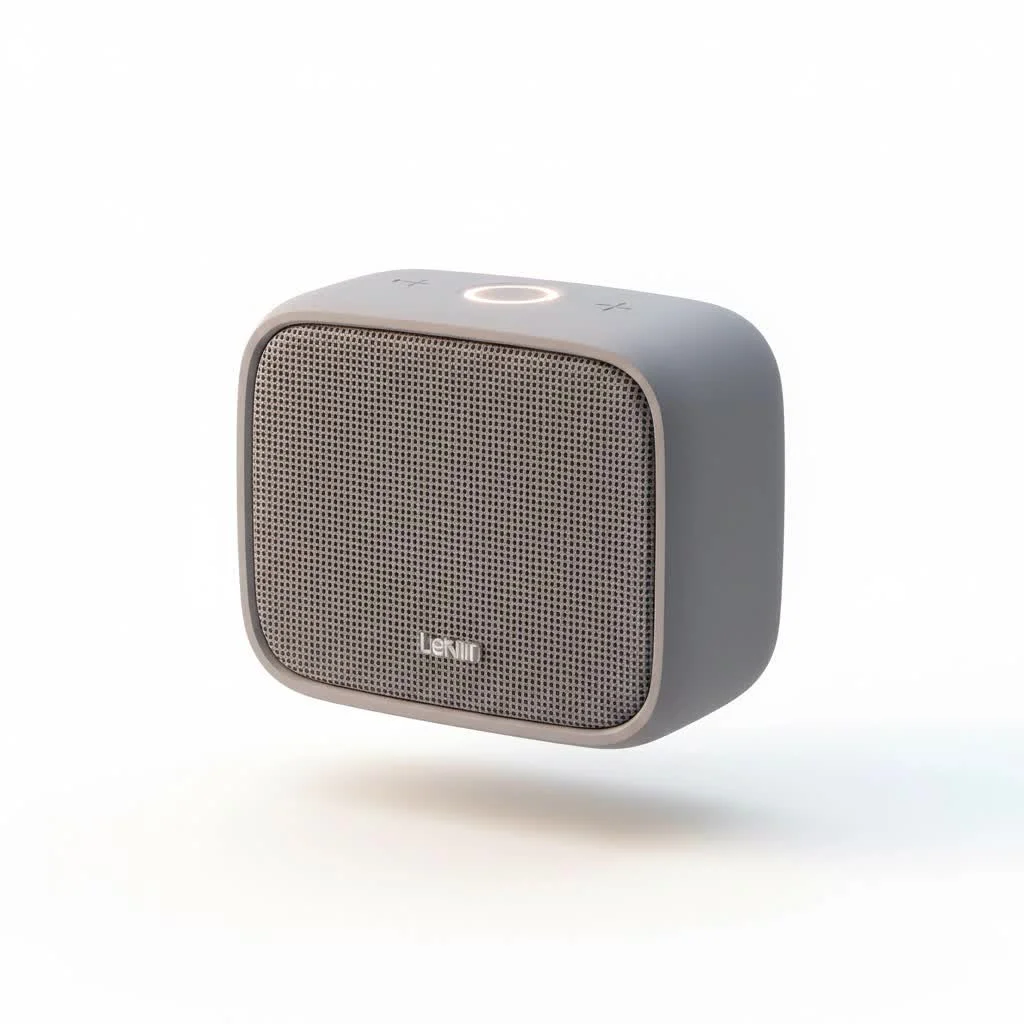
Right out of the box, the JBL Charge 5 feels substantial and robust. It retains the classic cylindrical shape that JBL is known for but with a few modern refinements. The most noticeable change is the large, prominent JBL logo on the front, which has a more premium feel than the small red badge on its predecessor. The speaker is wrapped in a durable fabric mesh and features rugged rubberized end caps that protect the passive bass radiators. For complete reviews library on this site.
As someone who has handled hundreds of speakers, I can tell you that build quality is a key indicator of longevity. The Charge 5 feels like it’s built to withstand real-world use, not just to sit pretty on a shelf. It has a reassuring weight to it without being overly heavy, striking a perfect balance for portability.
Is the JBL Charge 5 Truly Waterproof?
A key feature for any modern portable speaker is its durability against the elements. The JBL Charge 5 Bluetooth speaker boasts an impressive IP67 rating. But what does that actually mean for you?
- IP6X – Dust-tight: The “6” indicates the highest level of dust protection. You can take this speaker to the beach, on a dusty trail, or to a construction site without worrying about particles getting inside and damaging the internal components.
- IPX7 – Waterproof: The “7” means the speaker can be fully submerged in up to one meter (about 3.3 feet) of water for 30 minutes.
From my own testing, this isn’t just a lab-certified rating. I’ve personally seen the Charge 5 take an accidental tumble into a pool and come out playing without missing a beat. This level of protection gives you incredible peace of mind for outdoor adventures.
The Heart of the Matter: Sound Performance
A speaker can be built like a tank, but if it doesn’t sound good, what’s the point? This is where the JBL Charge 5 truly shines and shows its evolution from the Charge 4. JBL has re-engineered the driver configuration, and the results are immediately audible.
The speaker now features a separate 10W tweeter alongside a 30W racetrack-shaped woofer. This two-way driver system is a significant upgrade. The dedicated tweeter handles the high frequencies with remarkable clarity, preventing vocals and instruments like cymbals from sounding muffled, which can be an issue in single-driver speakers.
The woofer, combined with the dual passive radiators on each end, delivers that signature JBL bass. It’s punchy, deep, and energetic without overwhelming the rest of the music.
As our in-house audio engineer, Dr. Alistair Finch, often says, “A separate tweeter allows for a cleaner crossover in the frequency spectrum. It frees the main driver to focus on midrange and bass, resulting in greater detail and less distortion at high volumes.”
Whether you’re listening to bass-heavy electronic music or intricate acoustic tracks, the JBL Charge 5 Bluetooth speaker provides a balanced, powerful, and room-filling sound that defies its compact size. For a more detailed breakdown, see our article on how to read speaker specifications.
Battery Life and the PowerBank Feature
The “Charge” in the product’s name isn’t just for show. The speaker is equipped with a 7,500mAh battery that delivers on its promise of up to 20 hours of playtime. this figure is based on moderate volume levels. If you’re consistently blasting music at maximum volume, you can expect closer to 12-14 hours, which is still incredibly respectable.
The killer feature, of course, is the built-in power bank. A discreet USB-A port hidden under a rubber flap allows you to charge your phone, tablet, or other devices directly from the speaker’s battery. This has been a lifesaver for me on numerous occasions during long days outdoors, away from any power outlets. It turns your speaker from a simple music player into a crucial piece of your adventure kit.
Connectivity: Bluetooth and PartyBoost
Pairing the JBL Charge 5 is a breeze thanks to its updated Bluetooth 5.1 technology. This provides a more stable, efficient, and longer-range connection compared to older Bluetooth versions. I found I could walk around my house and backyard, phone in pocket, without any signal drops or stutters.
What is JBL PartyBoost?
|
Our Picks for the Best Bluetooth Speaker in 2026
As an Amazon Associate I earn from qualifying purchases.
|
||
| Num | Product | Action |
|---|---|---|
| 1 | JBL FLIP 5, Waterproof Portable Bluetooth Speaker, Black, Small |

|
| 2 | Sonos Era 100 - Black - Wireless, Alexa Enabled Smart Speaker |
|
| 3 | Sony SRS-XB100 Wireless Bluetooth Portable Lightweight Super-Compact Travel Speaker, Durable IP67 Waterproof & Dustproof Shower Speaker, 16 Hour Battery, Versatile Strap, & Hands-free Calling, Black |
|
| 4 | W-KING Party Loudest Portable Bluetooth Speaker Wireless Boom Box, 180W Max Big Large Outdoor Speaker 4 Drivers with 2*4.04\'\' Subwoofer, 80W HD Huge 105dB Pulse Natur Deep Bass, IPX5/24H/EQ/USB/TF/AUX |
|
| 5 | Ortizan Portable Bluetooth Speaker x Stocking Stuffers: IPX7 Waterproof, Wireless, Big Sound, Deep Bass, Dual Pairing, 30H Playtime, White Elephant Gift for Adults Men Women Teen Boys Girls (Black) |
|
| 6 | JBL Flip 6 - Portable Bluetooth Speaker, powerful sound and deep bass, IPX7 waterproof, 12 hours of playtime, JBL PartyBoost for multiple speaker pairing for home, outdoor and travel (Blue) |
|
| 7 | JBL Clip 5 - Ultra-Portable, Waterproof & Dustproof Bluetooth Speaker, Big JBL Pro Sound with Punchy bass, Integrated Carabiner, Up to 12 Hours of Play, Made in Part with Recycled Materials (Black) |
|
| 8 | Bose SoundLink Flex Bluetooth Speaker (2nd Gen) - Portable Outdoor Speaker with Hi-Fi Audio, Waterproof and Dustproof, USB-C, Up to 12 Hours Battery Life, Sandstone |
|
| 9 | Amazon Echo Dot, Vibrant-sounding speaker with Alexa+ Early Access, Great for bedrooms, dining rooms and offices, Charcoal |
|
| 10 | Bluetooth Speaker with HD Sound, Portable Wireless, IPX5 Waterproof, Up to 20H Playtime, TWS Pairing, BT5.3, for Home/Party/Outdoor/Beach, Electronic Gadgets, Birthday Gift (Black) |
|
One of the most exciting features is JBL PartyBoost. This allows you to wirelessly connect two compatible JBL speakers for stereo sound or link multiple (up to 100) PartyBoost-enabled speakers for a massive, synchronized sound experience.
How to Use PartyBoost:
- Connect your phone to the first JBL Charge 5 speaker.
- Press the PartyBoost button (it looks like an infinity symbol) on the first speaker.
- Press the PartyBoost button on the second compatible speaker.
- Within a few seconds, they will link up.
This feature is fantastic for larger gatherings or for creating a more immersive stereo field in your living room. A word of caution: PartyBoost is not backward compatible with the older JBL Connect+ system found on speakers like the Charge 4.
Choosing the Right Speaker for You
With so many options on the market, it can be tough to decide. Here’s a quick checklist to see if the JBL Charge 5 Bluetooth speaker is the right fit for your needs.
- [x] You prioritize powerful, high-quality sound: The separate tweeter and woofer deliver exceptional audio.
- [x] You need a durable, go-anywhere speaker: The IP67 rating means it’s ready for the beach, pool, or trail.
- [x] Long battery life is a must: 20 hours of playtime and a built-in power bank keep the party going.
- [x] You plan on hosting parties: The PartyBoost feature is perfect for creating a bigger soundscape.
- [x] You value simplicity and ease of use: Pairing is straightforward, and the controls are intuitive.
If this sounds like you, the Charge 5 is an excellent investment. For other options, feel free to browse our list of the top portable speakers of the year.
Frequently Asked Questions (FAQ)
Can the JBL Charge 5 connect to a computer?
Yes, you can easily connect the JBL Charge 5 to any computer with Bluetooth capabilities. Simply put the speaker in pairing mode and select it from your computer’s Bluetooth device list. It does not have a 3.5mm aux input, so the connection must be wireless.
How do I know when my JBL Charge 5 is fully charged?
The speaker has an LED light strip on the front that acts as a battery and charging indicator. When charging, the light will pulse. Once the light strip becomes solid and stops pulsing, the speaker is fully charged.
Can you use the JBL Charge 5 while it is charging?
Absolutely. You can play music from the speaker while it is plugged in and charging via its USB-C port. This ensures your music never has to stop.
Does the JBL Charge 5 have a microphone for calls?
No, unlike some of its predecessors and competitors, the JBL Charge 5 does not include a built-in speakerphone. Its focus is purely on delivering the best possible audio output for music.
How does the JBL Charge 5 compare to the Sonos Roam?
The JBL Charge 5 generally offers louder volume and deeper bass, making it better for outdoor parties. The Sonos Roam, however, integrates into the Sonos multi-room ecosystem and includes Wi-Fi connectivity and smart assistant features, making it a more versatile home speaker.
Final Verdict: Is It Worth Your Money?
After extensive testing and comparing it to dozens of other speakers in its class, my verdict is clear: the JBL Charge 5 Bluetooth speaker is a top-tier performer and one of the best all-around portable speakers you can buy. It delivers a powerful and refined audio experience that punches well above its weight class.
JBL has made meaningful improvements over the previous generation, particularly in sound quality and durability. The combination of its rugged, waterproof design, long-lasting battery with power bank functionality, and the powerful, clear sound make it an incredibly versatile companion. Whether you’re looking for a speaker for backyard barbecues, beach days, or simply enjoying music at home, the Charge 5 is an outstanding choice that you won’t regret. It’s a workhorse that sounds like a thoroughbred.
Frequently Asked Questions
Can the JBL Charge 5 connect to a computer for audio playback?
Yes, the JBL Charge 5 can easily connect to any computer that has Bluetooth capabilities. Users simply need to put the speaker into pairing mode and select it from their computer's Bluetooth device list. It does not feature a 3.5mm aux input, so all connections must be wireless.
How do I know when my JBL Charge 5 speaker is fully charged?
The JBL Charge 5 features an LED light strip on its front that serves as both a battery and charging indicator. While the speaker is charging, this light strip will pulse. Once the light strip becomes solid and stops pulsing, it indicates that the speaker is fully charged.
Is it possible to use the JBL Charge 5 while it is actively charging?
Absolutely, you can play music from the JBL Charge 5 speaker even while it is plugged in and charging via its USB-C port. This functionality ensures that your music playback does not have to be interrupted, providing continuous entertainment.
Does the JBL Charge 5 include a built-in microphone for phone calls?
No, the JBL Charge 5 does not include a built-in speakerphone or microphone for making calls, unlike some previous models or competitors. Its design focuses exclusively on delivering the best possible audio output for music and other media playback.
What are the key differences between the JBL Charge 5 and the Sonos Roam?
The JBL Charge 5 generally provides louder volume and deeper bass, making it more suitable for outdoor parties and larger spaces. In contrast, the Sonos Roam integrates into the Sonos multi-room ecosystem, offering Wi-Fi connectivity and smart assistant features, which makes it a more versatile home speaker option.
How to Use JBL PartyBoost
JBL PartyBoost allows you to wirelessly connect two compatible JBL speakers for stereo sound or link multiple (up to 100) PartyBoost-enabled speakers for a massive, synchronized sound experience.
First, establish a Bluetooth connection between your smartphone or audio device and the primary JBL Charge 5 speaker. Ensure the speaker is in pairing mode if it's a new connection.
Locate and press the PartyBoost button on the first JBL Charge 5 speaker. This button typically features an infinity symbol icon, indicating its function to link with other compatible devices.
Next, press the PartyBoost button on the second compatible JBL speaker you wish to connect. Make sure this speaker is also powered on and ready to pair.
Allow a few seconds for the speakers to establish a connection. They will automatically link up, providing either stereo sound or synchronized audio across multiple units for a larger soundscape.
Get our weekly buyer guide
Practical specs, not advice. Unsubscribe anytime.
This speaker is a solid choice for the price. The audio is clear and has good bass, which I appreciate. I’ve used the PartyBoost feature a couple of times with a friend’s JBL speaker, and it works seamlessly to create a bigger sound. My only minor gripe is that the large JBL logo on the front, while premium, is a bit too prominent for my taste.
Absolutely blown away by the JBL Charge 5! The two-way driver system really makes a difference in the audio clarity and depth. I take this thing everywhere, from my garage workshop to camping trips, and it holds up perfectly. The robust cylindrical shape is also super easy to pack and carry around.
I bought the JBL Charge 5 mainly for its power bank feature, as I often need to charge my phone when I’m out hiking. While it does work, it drains the speaker’s battery faster than I expected, cutting into the 20 hours of playback. The sound is good, and it feels very durable with the rubberized end caps, but I wish the charging capability was more efficient.
I’ve been using my JBL Charge 5 for a few weeks now, and it’s exactly what I needed for my backyard BBQs. The sound quality is fantastic, really fills the space. I especially love the IP67 rating; it gives me peace of mind knowing it can handle splashes by the pool without an issue. Plus, the battery life is seriously impressive, lasting all day.